



Student ID Photo — 45×60mm Standard
Generate a 45×60 mm standard photo for university/school IDs, student portals and enrolment forms with AI in 30 seconds — relaxed expression tolerance, digital PNG + 10×15 print sheet.
- Free analysis
- ICAO 9303
- AI-Powered
- GDPR compliant
Key takeaways
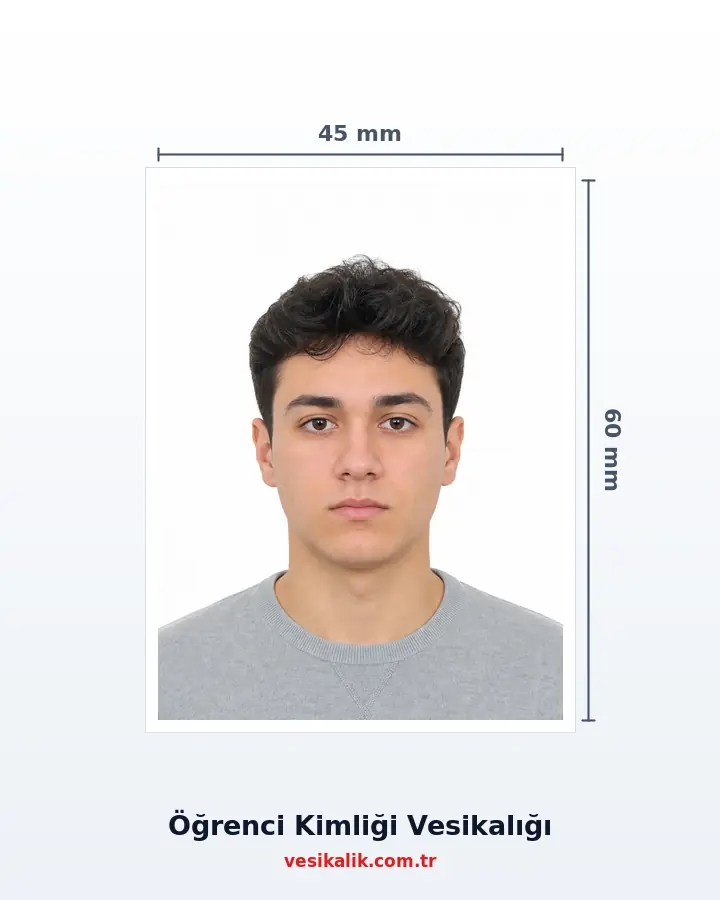
- Student ID size differs from driving licence/passport: 45×60 mm
- No biometric requirement — a slight smile is accepted
- Digital uploads to OBS/e-Devlet accept both JPEG and PNG
- Same format works for YÖK/ÖSYM examination applications
Prepare the 45×60 mm standard photo requested for university enrolment, ÖSYM exam applications (YKS/YÖS/DGS/ALES), high-school ID renewals, YÖK student certificates, e-Devlet student certificate PDF profile pictures and exchange programmes (Erasmus, YTB, KA131).
How it works
Student ID Photo — 45×60mm Standard — get it right in 4 steps.
-
Take a relaxed frame in window light
Stand in front of a plain wall with the phone at eye level; a slight smile is fine for a student ID.
-
Upload the photo and pick student mode
The AI analyses with relaxed tolerances, warning only about focus, shadow and exposure issues.
-
Let the 45×60 mm crop apply automatically
The crop includes the shoulder line and the background converts to the colour your institution expects; a 540×720 pixel PNG is produced.
-
Upload to the portal or ship the 6-up print
Upload the digital file to the enrolment form immediately, or have 6 prints on a 10×15 sheet shipped to you.
How much does an ID photo cost? (2026)
Photo analysis and the biometric compliance check are completely free. Digital file and print prices are below — identical to the live prices in the order wizard.
| Service | Price |
|---|---|
| Photo analysis & biometric check | Free |
| Digital File | 50.00 TRY |
| Standard ID Photo print package | 250.00 TRY |
| Cargo | 100.00 TRY |
Technical specifications
- Purpose
- Student ID + enrolment forms
- Size
- 45×60 mm (non-biometric standard photo)
- Background
- White, light grey or any plain colour the institution accepts
- Pixels
- 540×720 px @ 300 DPI
- Clothing
- Free choice; institutional uniform preferred if applicable
- Format
- PNG digital + print
Requirements checklist
- Face centred, natural expression (a slight smile is acceptable).
- Check the background colour your institution expects — usually white or light.
- If the enrolment form asks for multiple copies, order a 10×15 print sheet.
- If a uniform is required, make sure collar and name badge are visible.
- Photo should be from the last 12 months — no drastic age change.
- For digital upload prefer PNG (lossless); JPEG 90% is acceptable.
Related document sizes
Official photo sizes for documents related to this page, with pixel equivalents.
| Document | Physical size | Pixels (300 DPI) | Background | Note |
|---|---|---|---|---|
| National ID Card (TR) | 5 × 6 cm | 591 × 709 px | White | ICAO biometric |
| 50×60mm Biometric Photo | 5 × 6 cm | 591 × 709 px | White | ICAO biometric |
| Passport (TR) | 5 × 6 cm | 591 × 709 px | White | ICAO biometric |
| Bar Association ID | 3.5 × 4.5 cm | 413 × 531 px | White | ICAO biometric |
The Student ID Photo Standard (2026)
Student ID photos fall into a "standard photo" category separate from strict biometric applications. The 45×60 mm size is the most common on chipless plastic or cardboard student cards and on forms of YÖK (Council of Higher Education) and ÖSYM (Measurement, Selection and Placement Centre). University enrolment, **YKS (Higher Education Institutions Exam, the main ÖSYM exam since 2018)**, YÖS (International Student Exam), DGS (Vertical Transfer Exam), ALES (Academic Personnel and Postgraduate Entrance Exam) and Erasmus/YTB/KA131 exchange forms all use the same size.
This category does not require the rigid neutral-expression rule of biometric photos: a gentle smile, casual student clothing and — with the institution's approval — a coloured background are acceptable. It is enough that the photo was taken within the last 12 months and reflects the student's current appearance. On the e-Devlet **student certificate with photo PDF** the same 45×60 mm (or a downscaled biometric 50×60 mm) is also placed automatically.
Student Mode: AI Analysis with Relaxed Tolerances
vesikalik.com.tr's "student mode" analysis is aware of that flexibility: smile, raised-eyebrow and hair-accessory warnings turn green, and only issues that affect clear visibility (focus, shadows, over-exposure) stay in the yellow-red band. That lets you take a more relaxed shot while keeping the card usable for years.
Glasses are allowed on student IDs; a warning is only raised when lens glare is present. At schools with mandatory uniforms, the collar and name badge should remain visible; vesikalik.com.tr automatically frames the crop to include the shoulder line.
Home Shooting: a Student Photo in 5 Minutes
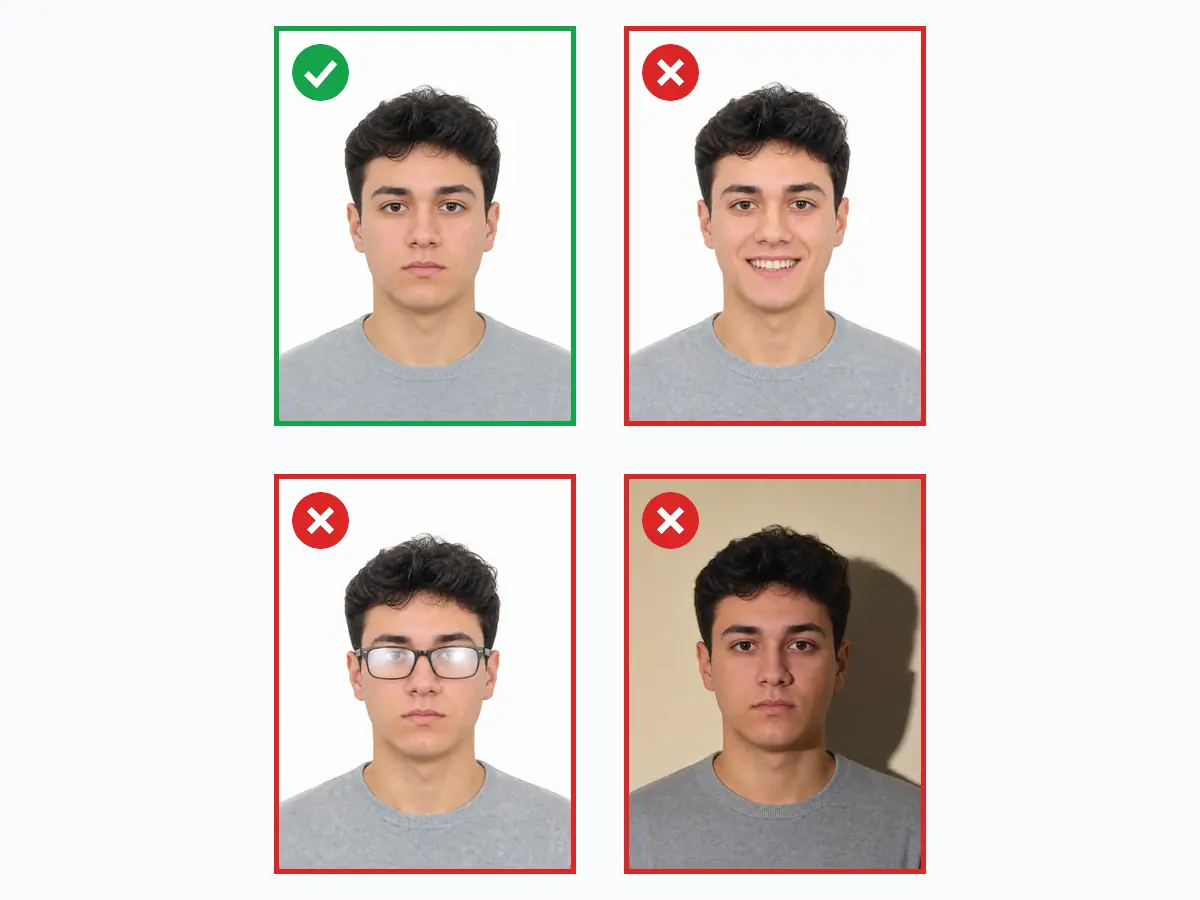
A single frame taken in front of a plain wall with the phone at eye level is enough. A window-front position gives the best light; the wall colour does not matter because the BiRefNet segmentation model automatically converts the backdrop to the colour the institution expects (usually white).
Instead of queueing at a photo studio at the start of term, a compliant photo can be uploaded to the enrolment form within minutes; siblings and classmates can be processed in the same session.
Outputs: PNG + a 10×15 Print Sheet
The digital output is packaged as a 540×720 pixel PNG; since some universities' student information systems ask for a high-resolution JPEG, an optional 1080×1440 pixel package is also offered. On the print side, a 10×15 sheet variant with 6 photos leaves spares for class, degree registration and exchange forms.
Prints ship to your address within Turkey. If needed, a 50×60 mm biometric version can be produced from the same source photo — no second shoot required if a passport or ID application falls in the same period.
Do's and Don'ts
Do
- Use a natural expression — a slight smile is fine on a student ID
- Make sure the photo was taken within the last 12 months
- If a uniform is required, keep the collar and name badge visible
- For digital upload use PNG or JPEG at 90%+ quality
- Check the background colour your institution expects in advance
Don't
- Do not apply heavy filters or feature-altering edits
- Do not leave glare on glasses lenses
- No hair, hats or hoods covering the face
- Do not upload blurry, dark or over-exposed frames
- Do not use a very old photo — the card stays valid for years
FAQ
What photo formats are supported?
How should I take my photo?
What should I pay attention to when taking the photo?
What is a standard ID (vesikalık) photo?
What size photo do schools require for student ID cards?
Is your photo ready?
Upload your photo, run the compliance check and download your print-ready photo in seconds.
Analyze Your Photo Now